> For the complete documentation index, see [llms.txt](https://community.commandersact.com/customer-success/llms.txt). Markdown versions of documentation pages are available by appending `.md` to page URLs; this page is available as [Markdown](https://community.commandersact.com/customer-success/expand-your-uses/audience-and-activation/increase-average-basket-size-through-intelligent-recommendations.md).
# Increase average basket size through intelligent recommendations
Increase your average basket size with the TMS + CDP duo. By combining immediate intent and purchase history, you can offer highly relevant upsell and cross-sell offers at key moments in the customer
### 1. Business value: Guarantee actionable and certified data
The intelligence of the CDP + TMS mix allows you to move from generic recommendations to highly personalised offers that boost profitability.
* **Increase in average basket size (AOV):** Offering the essential accessory or premium option at the right time automatically increases the value of the transaction.
* **Improved Customer Lifetime Value (LTV):** By suggesting products that truly match the user's historical needs, you increase their satisfaction and loyalty.
* **Timing relevance:** Thanks to TMS, the offer is displayed exactly when the user is in a buying mindset, maximising the offer acceptance rate.
### 2. Implementation methodology
#### Step A: Profile and history analysis
The CDP identifies customer segments (e.g., ‘High-Tech Buyers’) and their purchase history. It prepares the attributes that will be used to define which product category to recommend.
* **Action**: Identify the ‘hero’ products and their associated complementary products in your database.
#### Step B: Capturing current intent in the CDP
The DataCommanders tag detects the product currently being viewed or added to the basket. This ‘hot’ data is immediately compared with the CDP data.
* **Action**: Configure the DataCommander tag and the variables to be retrieved from the CDP (e.g. price, category) to trigger the recommendation.
#### **Step C: Triggering the recommendation**
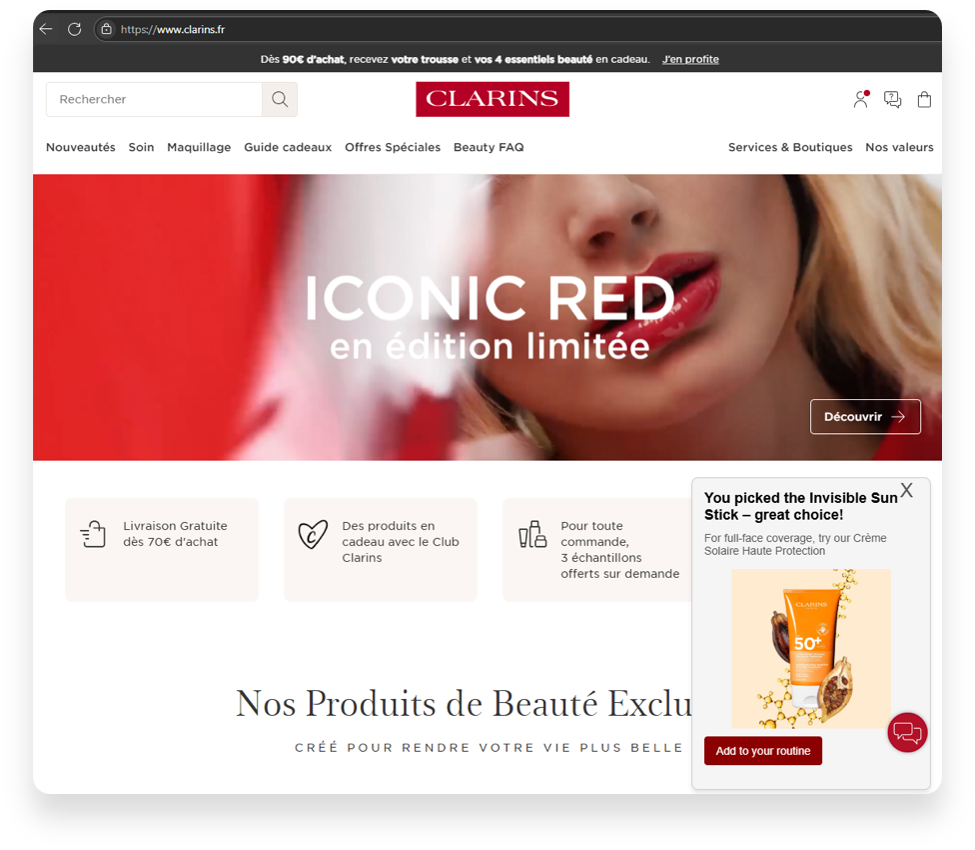
The TMS displays a pop-in or dynamic block ‘Complete your purchase’ or ‘Upgrade to the next level’ using information from the CDP to personalise the offer.
* **Action**: Set exclusion rules (e.g. do not offer a product that the customer already owns).
#### **Step D: Analysing the increase in value**
Track the change in the average basket size of users who interacted with the recommendations compared to those who were not exposed to them.
### 3. Typical use cases
1. **E-commerce (Cross-sell):** A user adds a pair of running shoes. The TMS, knowing via the CDP that this is a regular customer, displays an offer: ‘Enjoy 20% off this set of technical socks to go with your new shoes’.
2. **Services / SaaS (Upsell):** A user views a standard subscription offer. The CDP identifies a ‘Business’ profile; the TMS then displays a comparison highlighting the benefits of the ‘Premium’ offer.
3. **Tourism/Travel:** When booking a flight, offer a travel insurance or car rental option based on the chosen destination and traveller profile (family vs. business).
### Need help making your data flows more reliable?
The CDP + TMS alliance is the engine of your performance. Our experts will help you configure your segments and display scenarios for maximum efficiency. **Contact our support team:**