> For the complete documentation index, see [llms.txt](https://community.commandersact.com/customer-success/llms.txt). Markdown versions of documentation pages are available by appending `.md` to page URLs; this page is available as [Markdown](https://community.commandersact.com/customer-success/expand-your-uses/audience-and-activation/reactivation-of-abandoned-shoppers-via-shopping-basket-reminders.md).
# Reactivation of abandoned shoppers via shopping basket reminders
Reactivate your abandoned shoppers with the TMS + CDP alliance. Identify uncompleted shopping baskets in real time and re-display the product when the visitor returns to secure your conversions.
### 1. Business value: Guarantee actionable and certified data
The combined use of CDP and TMS makes it possible to transform a ‘paused’ purchase intention into a finalised conversion thanks to persistent data.
* **Recovery of lost revenue**: Precisely targeting abandoners makes it possible to recover up to 25% of abandoned baskets.
* **Cross-session relevance**: Thanks to CDP, reminders work even if the user returns several days later, whereas a simple browser cookie may have expired.
* **Advanced personalisation:** Use profile attributes (VIP status, loyalty score) to tailor incentives (e.g. free delivery for new customers only).
### 2. Implementation methodology
#### Step A: Collection and reporting to the CDP (TMS)
Capture the event of adding to the basket via the DataCommanders TAG and transmit the product details (name, image, price) to the user profile in the CDP.
#### **Step B: Segmentation of abandoners (CDP)**
Create a dynamic segment in the CDP grouping users who have added a product to their basket but have not triggered a purchase event in the last 24 hours.
#### **Step C: Activation of personalisation (TMS/On-Site)**
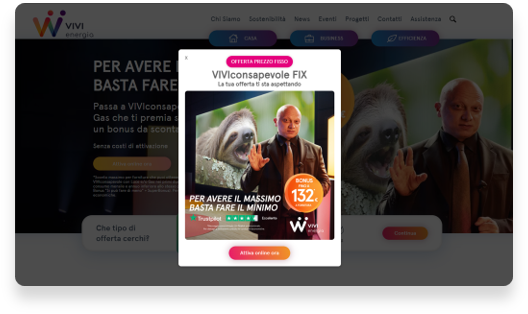
Configure an On-Site campaign that is displayed exclusively to the ‘Abandoners’ segment identified by the CDP.
* **Action**: Use CDP variables to personalise the pop-in text with the product name.
#### **Step D: Measuring conversion increment**
Analyse campaign performance by comparing the behaviour of abandoners exposed to the reminder vs. a control group.
### 3. Typical use cases
1. **E-commerce (CDP/TMS synergy):** A loyal customer adds an expensive item. The CDP identifies them as a ‘Gold Customer’. The TMS displays a pop-in: ‘Welcome back \[First name], your basket is waiting for you with a 10% discount’.
2. **Subscriptions & Services:** Reactivate a user who abandoned their subscription process at the offer selection stage by offering them chat support or a comparison guide.
3. **Tourism**: Remind users of a flight option that has been added to their basket but not confirmed, adding a ‘Last places available’ message from your stock feeds.
### Need help making your data feeds more reliable?
The power of CDP combined with the agility of TMS is the key to reducing your basket abandonment rates. Our experts will help you create your segments and reactivation scenarios. **Contact our support team**: